How to make your watermark survive AI watermark removal
Many creators have been there. You added a watermark, but someone stripped it and reused the work. In the past that meant hours in Photoshop, channels, masks, and a real learning curve. Now drop the image into an AI tool and one prompt can remove and refill in seconds.
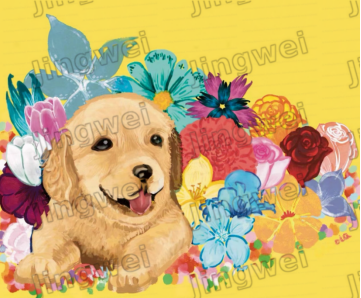
The useful question is whether the watermark still follows old rules. Pasted on, regular, sharp, separate from the image. AI watermark removal exploits exactly that.
Why old watermarks fail
Too regular. Corner logos, copyright bars, repeated small marks at fixed positions. AI has seen millions of these and can batch-detect and batch-remove them.
Too sharp and separate. Watermarks meant to be visible sit apart from the content. AI treats them as foreign objects, inpaints the hole, and moves on.
Too little pixel information. A few letters or a small icon. After removal, AI fills from surrounding texture and color trends and the gap looks natural.
Wash-out is AI repairing your work
The core is inpainting. Mask unwanted regions, regenerate from context. Common moves include local logo removal, full-image touch-up on tiled marks, and crop-then-outpaint on edge watermarks.
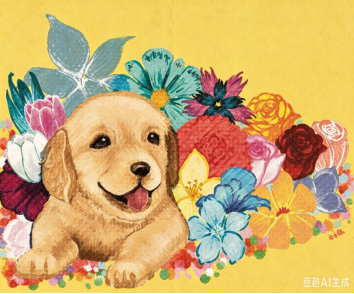
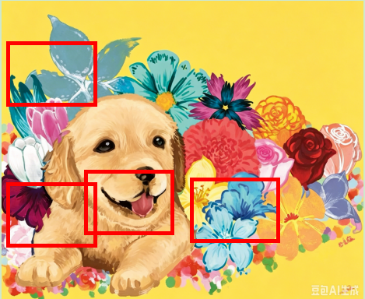
The hero image above is a tile-repeat displacement test. Protected on the left, AI repair on the right. Red boxes mark the failures that remain after the restore attempt.
Jingwei. Two layers
Visible anti-theft layers micro-perturb pixels so changes merge with structure. Forced AI cleanup often warps, blurs, or leaves noise. Emboss, blur bars, face emboss lock, and more are on the test matrix. Layer choice is in How to use Jingwei: choosing visible layers.
Invisible JW declarations and frequency watermarks stay verifiable after compression or screenshots. Use visible layers when you fear clean theft. Use JW + DWT when you fear proving ownership later.